
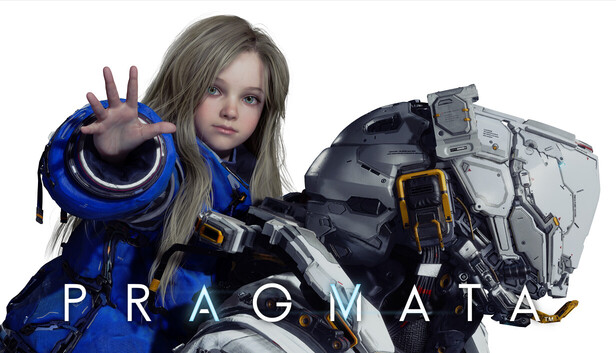
识质存在 虚机版
2026-04-20 10:57:49
67次阅读
2个评论
链接: https://yun.139.com/shareweb/#/w/i/2ur535y1Gnwhx
复制内容打开移动云盘PC客户端,操作更方便哦
0
0

2026-04-20 11:02:53
使用说明-英文
Release is using Hypervisor bypass by DenuvOwO team. Instructions:
– install game
– educate yourself first by reading _Info.txt and DenuvOwO.nfo; CPU virtualization must be enabled in BIOS (some motherboards have it enabled as default setting)
– start as Administrator “VBS.cmd” from game folder, press 1, restart computer, then on the next boot press F7 when new window will show up (driver signature OFF)
– start from desktop icon
Once you make it work, any other game with Hypervisor can be installed and played from desktop icon (as long as you don’t restart/shutdown PC – then again VBS.cmd > 1 > reboot > F7 > desktop icon)
使用说明-中文机翻
本发布版使用了 DenuvOwO 团队的 Hypervisor 绕过技术。说明:
安装游戏
首先通过阅读_Info.txt和DenuvOwO.nfo来了解相关信息;必须在BIOS中启用CPU虚拟化(部分主板默认已启用)
– 以管理员身份运行游戏文件夹中的”VBS.cmd”,按1,重启电脑,然后在下次启动时,当新窗口出现时按F7(关闭驱动程序签名)
– 从桌面图标启动
一旦成功运行,任何其他支持Hypervisor的游戏都可以通过桌面图标安装并游玩(只要你不重启/关机——否则需要再次运行VBS.cmd > 1 > 重启 > F7 > 桌面图标)
Release is using Hypervisor bypass by DenuvOwO team. Instructions:
– install game
– educate yourself first by reading _Info.txt and DenuvOwO.nfo; CPU virtualization must be enabled in BIOS (some motherboards have it enabled as default setting)
– start as Administrator “VBS.cmd” from game folder, press 1, restart computer, then on the next boot press F7 when new window will show up (driver signature OFF)
– start from desktop icon
Once you make it work, any other game with Hypervisor can be installed and played from desktop icon (as long as you don’t restart/shutdown PC – then again VBS.cmd > 1 > reboot > F7 > desktop icon)
使用说明-中文机翻
本发布版使用了 DenuvOwO 团队的 Hypervisor 绕过技术。说明:
安装游戏
首先通过阅读_Info.txt和DenuvOwO.nfo来了解相关信息;必须在BIOS中启用CPU虚拟化(部分主板默认已启用)
– 以管理员身份运行游戏文件夹中的”VBS.cmd”,按1,重启电脑,然后在下次启动时,当新窗口出现时按F7(关闭驱动程序签名)
– 从桌面图标启动
一旦成功运行,任何其他支持Hypervisor的游戏都可以通过桌面图标安装并游玩(只要你不重启/关机——否则需要再次运行VBS.cmd > 1 > 重启 > F7 > 桌面图标)
2026-04-20 11:00:22
管理员权限运行VBS.cmd按说明操作后执行运行PRAGMATA.exe即可。独立补丁包PRAGMATA-DenuvOwO.rar可以单独下载
共2条
1
